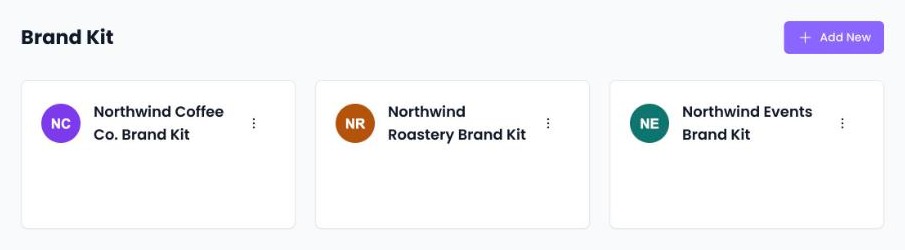
Blended Sense supports multiple Brand Kits so customers can manage more than one brand, location, or client without confusion. Each Brand Kit keeps assets, branding, and references clearly separated. This article explains when and why to use multiple Brand Kits, and how to think about structuring them.
1 min read
When You Should Use Multiple Brand Kits
You may need more than one Brand Kit if you:
Are an agency managing content for multiple clients
Operate multiple brands under one organization
Have multiple locations with distinct branding
Support different audiences, services, or product lines
Each Brand Kit represents one brand identity.
How Multiple Brand Kits Work
Each Brand Kit is created and managed independently
Brand Kits are selected per project or content request
Assets, colors, fonts, and references do not overlap unless you intentionally reuse them
This structure ensures content is created with the correct brand context every time.
Each Brand Kit is managed separately under Brand Kit in your account menu.
Structuring Brand Kits for Clarity
To keep things organized:
Use clear, descriptive names for each Brand Kit
Example: “Acme Fitness – NYC” vs “Acme Fitness – LA”
Keep brand-specific assets separate
Avoid uploading shared assets unless they truly apply across brands
Clear structure upfront prevents confusion later in the content process.
Agency & Multi-Brand Best Practices
If you manage multiple brands:
Create one Brand Kit per client or brand
Keep reference videos specific to each brand’s tone and audience
Review Brand Kits periodically to ensure assets are up to date
Well-maintained Brand Kits help reduce revisions and improve creative alignment.
What This Article Does Not Cover
This article does not include:
How to upload individual assets
File type or size requirements
Best practices for logos, fonts, or reference videos